Servo 2040 - 18 Channel Servo Controller
Build the hexapod/robot arm/other articulated contraption of your dreams with this all-in-one RP2040 powered servo controller with current measurement, sensor headers and RGB LEDs.
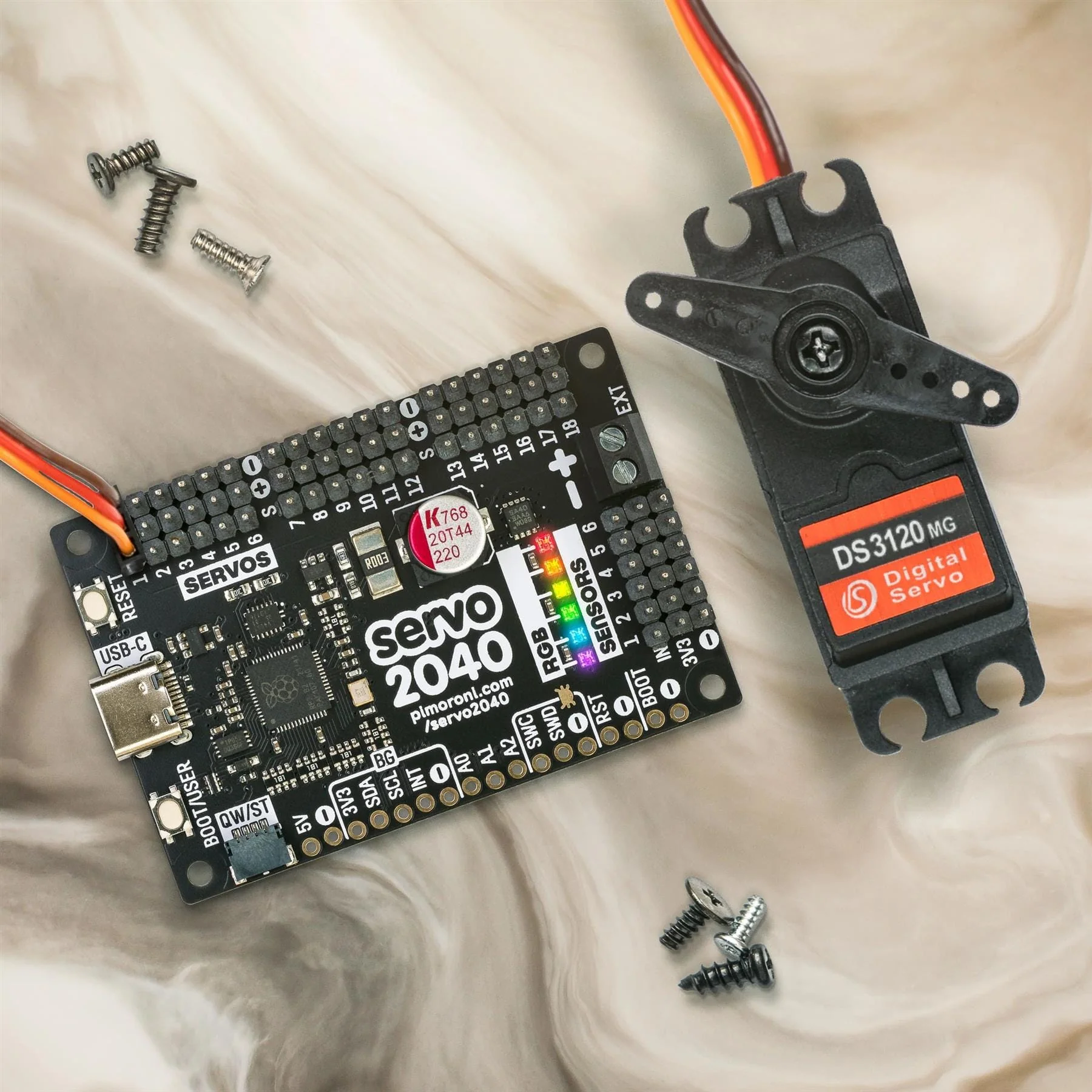
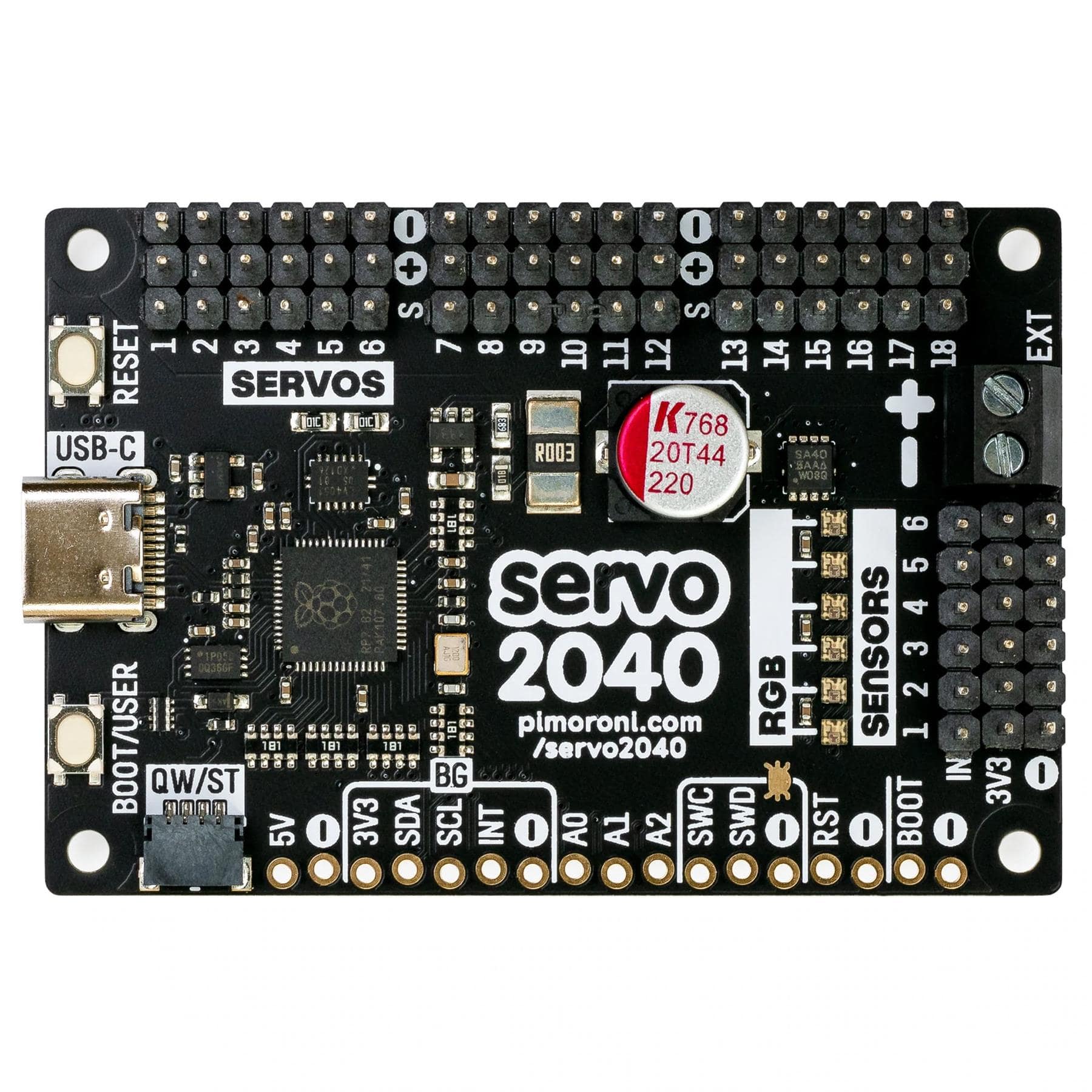
Servo 2040 is a standalone servo controller for making things with lots of moving parts. It has pre-soldered pin headers for plugging in up to 18 servos - enough for the leggiest of hexapod walkers or plenty of degrees of freedom for your robotic arms, legs or tentacles (servos not included). Servos can be pretty power-hungry, especially the chunky ones, so we've added some neat current monitoring functions so you can keep an eye on power consumption.
There are six addressable RGB LEDs (AKA Neopixels) for visual feedback and status reports, plus pin headers to connect up to six analog sensors - useful for sensing where the ground is, if you're about to crash into a wall, or how much pressure The Claw is exerting on your hapless test subject. We've also popped a QW/ST connector on there, to make it super easy to add a Qwiic or STEMMA QT breakout or two.
Servo 2040 is supported by a well documented C++/MicroPython servo library with lots of examples to show you how to use the individual features (and everything together).

RP2040 x servos
We've used the RP2040 as the core of this board because of the flexibility of its Programmable IOs (PIOs). Traditionally, each servo needs to be connected to its own PWM capable channel on the microcontroller. RP2040 only has 16 PWM channels, but it's possible to drive up to 30 servos using the magic of PIOs (if you're canny with wiring). RP2040's PIOs are also super fast, so they can drive servos with sub microsecond resolution.
We've built the RP2040 microcontroller right into Servo 2040, so you don't need a separate microcontroller and servo driver boards. This makes for nice compact builds - perfect for small robots!
Features
- Powered by RP2040 (Dual Arm Cortex M0+ running at up to 133Mhz with 264kB of SRAM)
- 2MB of QSPI flash supporting XiP
- 18 sets of header pins for connecting 3 pin hobby servos
- Supports higher voltage servos (up to 11V) *
- 6 addressable RGB LEDs/Neopixels
- 6 sets of header pins for connecting analog sensors
- Onboard voltage and current sensing
- Reset and BOOT button (the BOOT button can also be used as a user button)
- USB-C connector for programming and power (3A max)
- Screw terminals for supplying external power (with reverse polarity protection) (10A max continuous current)
- Qw/ST (Qwiic/STEMMA QT) connector for breakouts
- Fully assembled (no soldering required)
- C++/MicroPython libraries
- Schematic
- Mechanical drawing
Software
Because it's an RP2040 board, Servo 2040 is firmware agnostic! You can program it with C/C++, MicroPython or CircuitPython.
Our C++/MicroPython libraries will help you get the most out of Servo 2040, they're packed with powerful features for working with servos. You'll get the best performance using C++, but if you're a beginner we'd recommend using our batteries included MicroPython build for ease of getting started.
- Download Pirate brand MicroPython
- MicroPython API documentation
- MicroPython examples
- C++ examples
You can also use CircuitPython on your Servo 2040, if you want access to all the nice conveniences of Adafruit's ecosystem (note that you will only be able to control up to 16 servos with CircuitPython).
- Download CircuitPython for Servo 2040
- Getting Started with CircuitPython
- CircuitPython examples
Connecting Breakouts
If your breakout has a QW/ST connector JST-SH to JST-SH cable, or you can easily connect any of our I2C Breakout Garden breakouts with a JST-SH to JST-SH cable; coupled with a Qw/ST to Breakout Garden adaptor.
- List of breakouts currently compatible with our C++/MicroPython build.
Notes
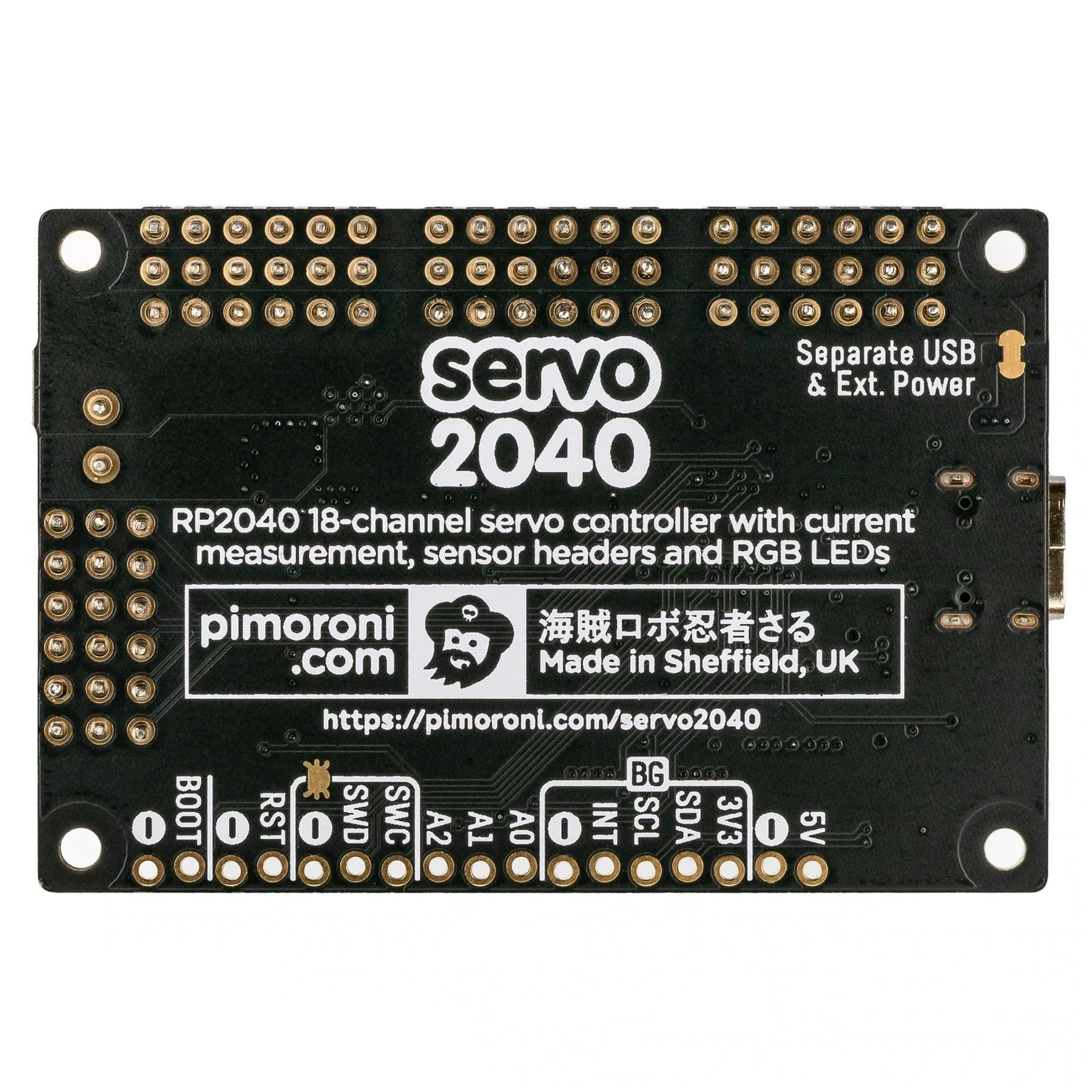
- Measurements: 62mm x 42mm x 12mm (L x W x H, including connectors). The mounting holes are M2.5 and 2.7mm in from each edge.
- * If you want to run servos with a higher voltage than 5V, you'll need to cut the 'Separate USB and Ext. Power' trace on the back of the board to prevent the RP2040 being damaged by the increased voltage.
- If you cut this trace you'll need to provide separate power for the board logic (through USB or the 5V on the broken out header).
- When programming a battery powered robot through USB we'd recommend using something like a data only USB adaptor to avoid back-powering your computer, or the battery.
Product Information
Product Information
Shipping & Returns
Shipping & Returns
Description
Build the hexapod/robot arm/other articulated contraption of your dreams with this all-in-one RP2040 powered servo controller with current measurement, sensor headers and RGB LEDs.
Servo 2040 is a standalone servo controller for making things with lots of moving parts. It has pre-soldered pin headers for plugging in up to 18 servos - enough for the leggiest of hexapod walkers or plenty of degrees of freedom for your robotic arms, legs or tentacles (servos not included). Servos can be pretty power-hungry, especially the chunky ones, so we've added some neat current monitoring functions so you can keep an eye on power consumption.
There are six addressable RGB LEDs (AKA Neopixels) for visual feedback and status reports, plus pin headers to connect up to six analog sensors - useful for sensing where the ground is, if you're about to crash into a wall, or how much pressure The Claw is exerting on your hapless test subject. We've also popped a QW/ST connector on there, to make it super easy to add a Qwiic or STEMMA QT breakout or two.
Servo 2040 is supported by a well documented C++/MicroPython servo library with lots of examples to show you how to use the individual features (and everything together).
RP2040 x servos
We've used the RP2040 as the core of this board because of the flexibility of its Programmable IOs (PIOs). Traditionally, each servo needs to be connected to its own PWM capable channel on the microcontroller. RP2040 only has 16 PWM channels, but it's possible to drive up to 30 servos using the magic of PIOs (if you're canny with wiring). RP2040's PIOs are also super fast, so they can drive servos with sub microsecond resolution.
We've built the RP2040 microcontroller right into Servo 2040, so you don't need a separate microcontroller and servo driver boards. This makes for nice compact builds - perfect for small robots!
Features
- Powered by RP2040 (Dual Arm Cortex M0+ running at up to 133Mhz with 264kB of SRAM)
- 2MB of QSPI flash supporting XiP
- 18 sets of header pins for connecting 3 pin hobby servos
- Supports higher voltage servos (up to 11V) *
- 6 addressable RGB LEDs/Neopixels
- 6 sets of header pins for connecting analog sensors
- Onboard voltage and current sensing
- Reset and BOOT button (the BOOT button can also be used as a user button)
- USB-C connector for programming and power (3A max)
- Screw terminals for supplying external power (with reverse polarity protection) (10A max continuous current)
- Qw/ST (Qwiic/STEMMA QT) connector for breakouts
- Fully assembled (no soldering required)
- C++/MicroPython libraries
- Schematic
- Mechanical drawing
Software
Because it's an RP2040 board, Servo 2040 is firmware agnostic! You can program it with C/C++, MicroPython or CircuitPython.
Our C++/MicroPython libraries will help you get the most out of Servo 2040, they're packed with powerful features for working with servos. You'll get the best performance using C++, but if you're a beginner we'd recommend using our batteries included MicroPython build for ease of getting started.
- Download Pirate brand MicroPython
- MicroPython API documentation
- MicroPython examples
- C++ examples
You can also use CircuitPython on your Servo 2040, if you want access to all the nice conveniences of Adafruit's ecosystem (note that you will only be able to control up to 16 servos with CircuitPython).
- Download CircuitPython for Servo 2040
- Getting Started with CircuitPython
- CircuitPython examples
Connecting Breakouts
If your breakout has a QW/ST connector JST-SH to JST-SH cable, or you can easily connect any of our I2C Breakout Garden breakouts with a JST-SH to JST-SH cable; coupled with a Qw/ST to Breakout Garden adaptor.
- List of breakouts currently compatible with our C++/MicroPython build.
Notes
- Measurements: 62mm x 42mm x 12mm (L x W x H, including connectors). The mounting holes are M2.5 and 2.7mm in from each edge.
- * If you want to run servos with a higher voltage than 5V, you'll need to cut the 'Separate USB and Ext. Power' trace on the back of the board to prevent the RP2040 being damaged by the increased voltage.
- If you cut this trace you'll need to provide separate power for the board logic (through USB or the 5V on the broken out header).
- When programming a battery powered robot through USB we'd recommend using something like a data only USB adaptor to avoid back-powering your computer, or the battery.