AD Keypad [Discontinued]
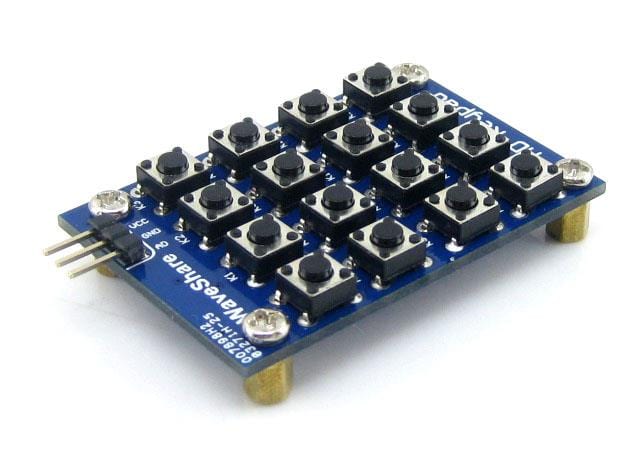
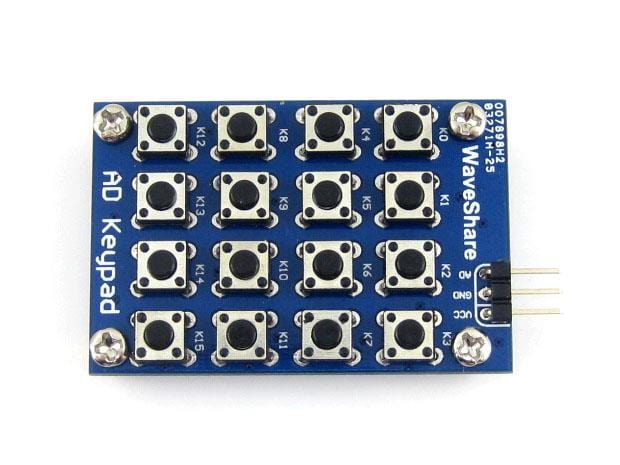
The AD Keypad provides 16 push buttons and takes up only 1 AD port for control. It's suitable for applications where the AD ports are sufficient yet I/O ports are lacking.
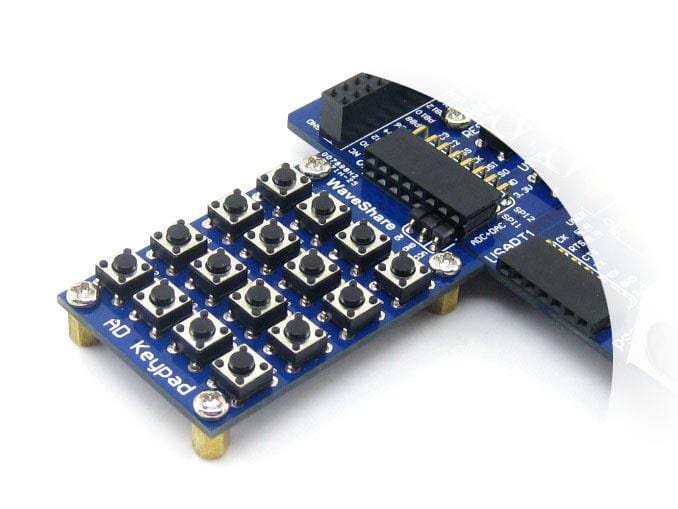
This module is great for use in microcontroller-based projects as well as with the popular SBCs on the market today and would be perfect in your next Raspberry Pi, Raspberry Pi Pico, Arduino, STM32, or Adafruit Feather HUZZAH project.
Online resources including datasheets, example code, and connection information can be found on the Waveshare Wiki page for this module.
Features
- 16 push button detection interface
How It Works
-
AD ideal value: when button pressed, Viv = (button index / 16) x Vref
AD real value: when button pressed, Vrv = (1 ± 6%) x Viv
For instance, suppose Vref = 5, 8th button was pressed, then Viv = (8 / 16) x 5 = 2.5, Vrv = (1 ± 6%) x 2.5, equals to 2.35-2.65 -
Abbreviation
- Vref: AD reference voltage
- iv: ideal value
- rv: real value

Example
-
For 10-bit ADC, the 8th button generates an ADC value between (1±6%)x512, the equivalent range should be "481-543". If the ADC value had been detected to be "510-518" in the code, this indicates that the 8th button was pressed.
-
For 8-bit ADC, the 8th button generates an ADC value between (1±6%)x128, the equivalent range should be "120-136". If the ADC value had been detected to be "124-128" in the code, this indicates that the 8th button was pressed.
Resources
- Waveshare Wiki
Package Contents
- 1X AD Keypad
Original: $7.49
-70%$7.49
$2.25Product Information
Product Information
Shipping & Returns
Shipping & Returns
Description
The AD Keypad provides 16 push buttons and takes up only 1 AD port for control. It's suitable for applications where the AD ports are sufficient yet I/O ports are lacking.
This module is great for use in microcontroller-based projects as well as with the popular SBCs on the market today and would be perfect in your next Raspberry Pi, Raspberry Pi Pico, Arduino, STM32, or Adafruit Feather HUZZAH project.
Online resources including datasheets, example code, and connection information can be found on the Waveshare Wiki page for this module.
Features
- 16 push button detection interface
How It Works
-
AD ideal value: when button pressed, Viv = (button index / 16) x Vref
AD real value: when button pressed, Vrv = (1 ± 6%) x Viv
For instance, suppose Vref = 5, 8th button was pressed, then Viv = (8 / 16) x 5 = 2.5, Vrv = (1 ± 6%) x 2.5, equals to 2.35-2.65 -
Abbreviation
- Vref: AD reference voltage
- iv: ideal value
- rv: real value
Example
-
For 10-bit ADC, the 8th button generates an ADC value between (1±6%)x512, the equivalent range should be "481-543". If the ADC value had been detected to be "510-518" in the code, this indicates that the 8th button was pressed.
-
For 8-bit ADC, the 8th button generates an ADC value between (1±6%)x128, the equivalent range should be "120-136". If the ADC value had been detected to be "124-128" in the code, this indicates that the 8th button was pressed.
Resources
- Waveshare Wiki
Package Contents
- 1X AD Keypad